Disconnected evidence
Teams lose time reconciling files, drawings, supplier context and quality records before action can start.

Technology / Digital Thread
A digital thread keeps the part record connected from technical definition to readiness, routing, production evidence, and future reuse.
GhostMatter helps teams avoid fragmented engineering and production context by keeping files, decisions, permissions, routes, and traceability linked to the part lifecycle.
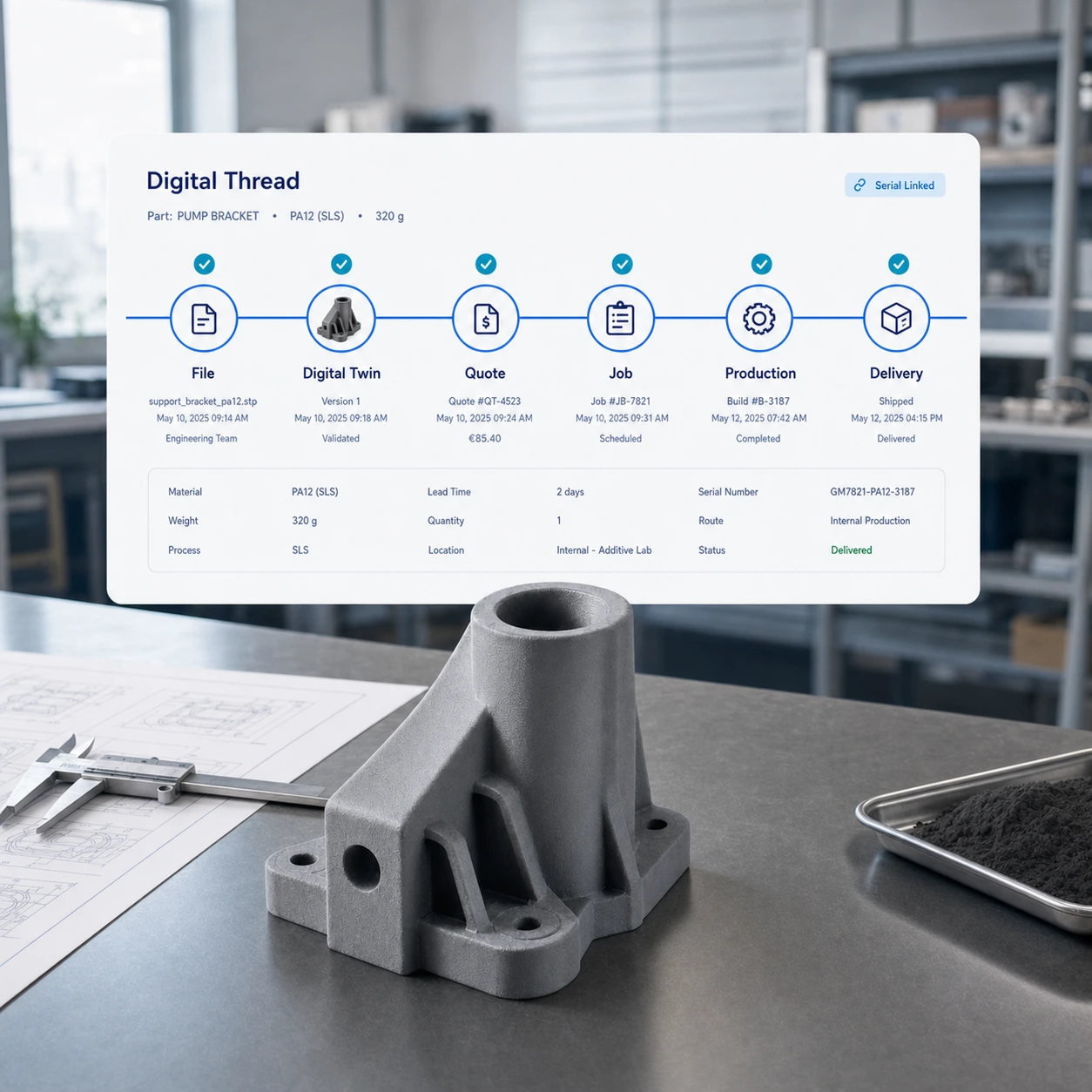
The value is in preserving why a part is ready, which file is approved, which route can be used, and what evidence supports production.
Teams lose time reconciling files, drawings, supplier context and quality records before action can start.
When teams need to reproduce, replace or adapt a part, data silos increase ambiguity and risk.
Production readiness is harder to judge when versions, rules and history are spread across tools.
GhostMatter describes the digital thread as continuity between part identity, technical data, readiness status, production route, production launch, supplier execution and finished part history.
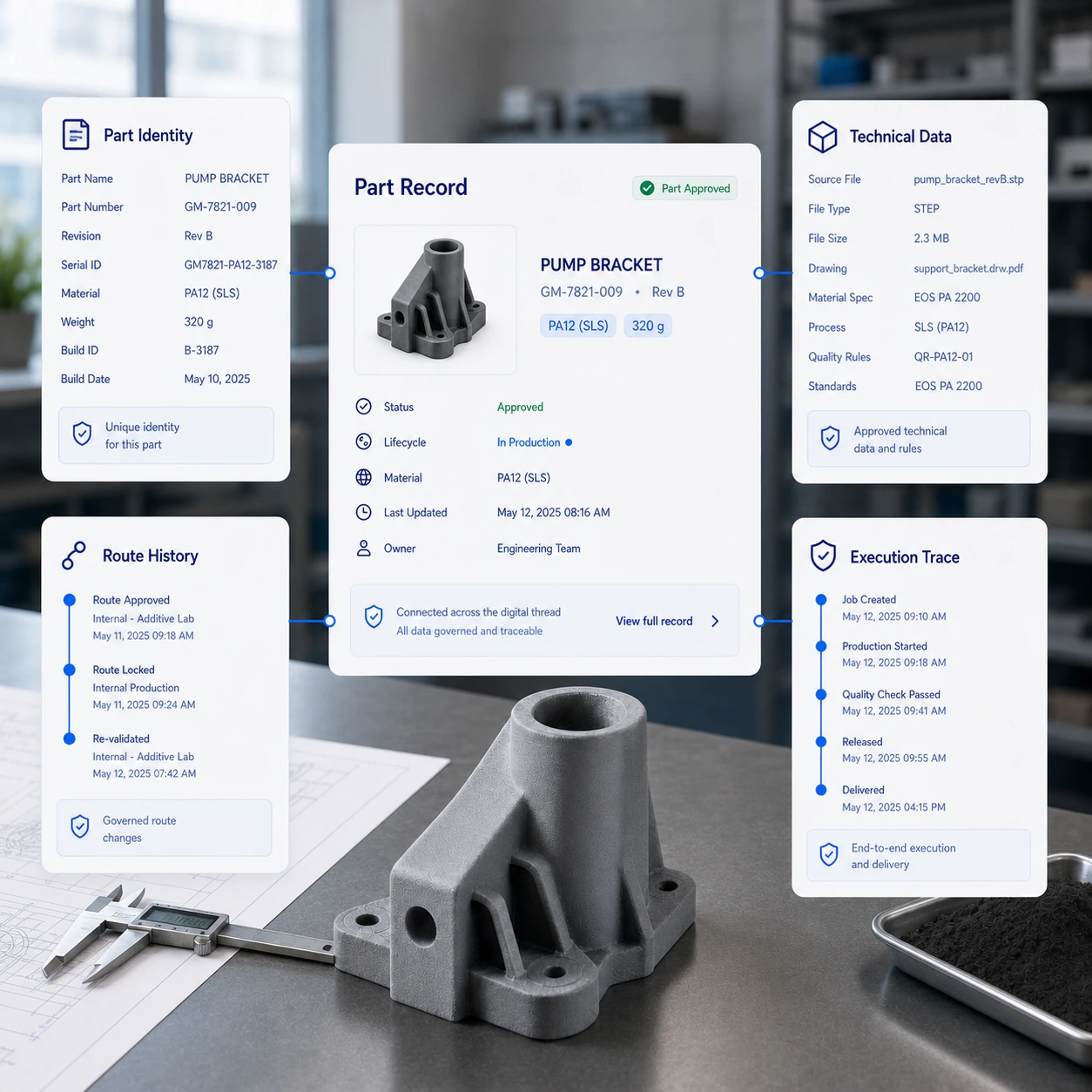
The thread is not a theoretical concept. It is the continuity that lets engineering, manufacturing and quality teams trust the same production-ready asset.
Create a controlled identity for selected production-ready assets.
Explore digital twinConnect files, drawings, metadata, material context and production constraints.
Explore digital inventoryRecord how and where the part can be produced without relying on informal memory.
Explore distributed manufacturingLink production activation to finished part history and quality context.
Explore traceabilityQuality teams need to know which version was used, which route was selected, which material or process was applied and what production history exists.
Keep part references, files and metadata attached to one controlled asset.
Make qualification, blockers, rules and production constraints visible before activation.
Record the approved internal or partner route used for production.
Link request, order, production event and supplier context to the same record.
Keep finished part history available for future maintenance, reproduction and audit work.
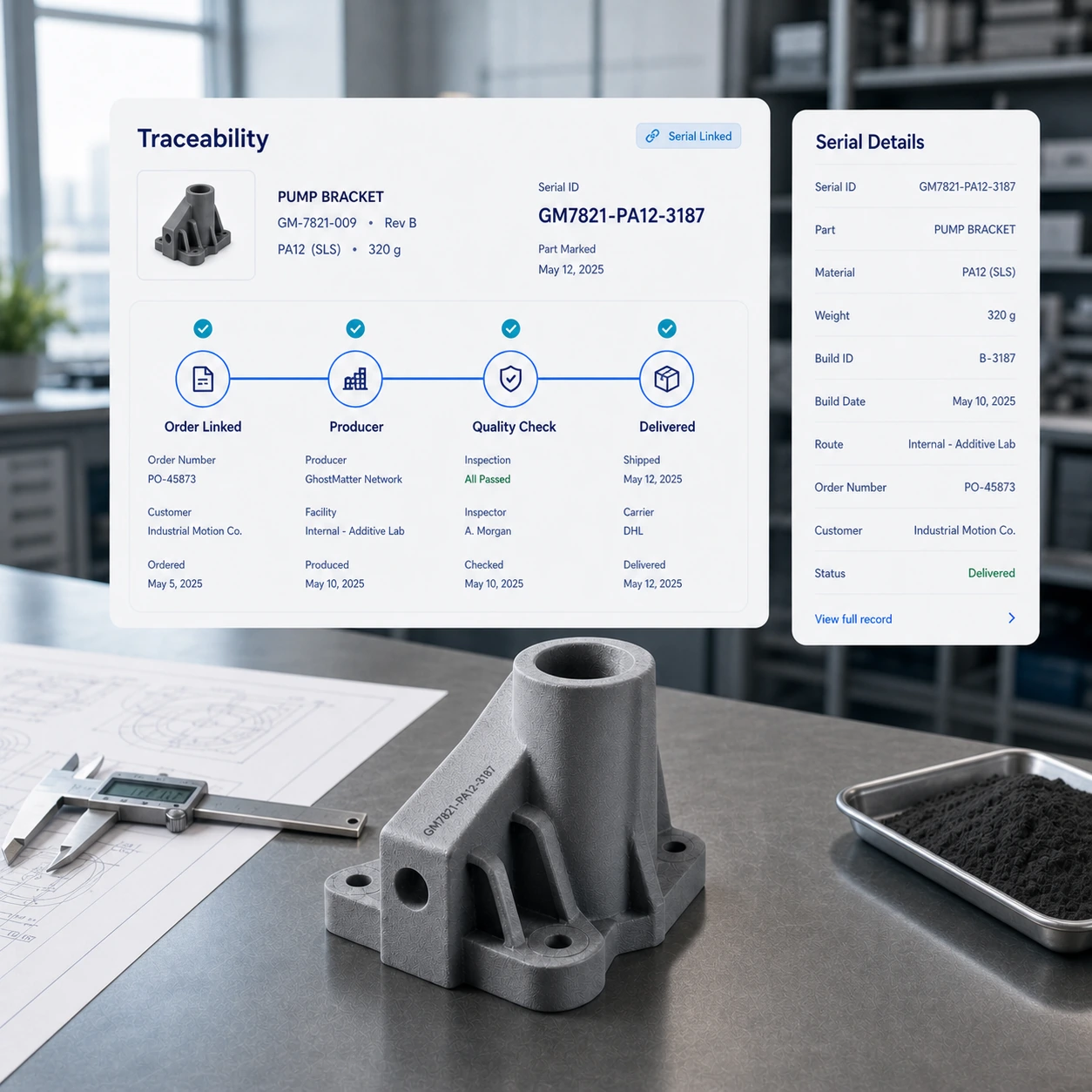
When advanced traceability workflows are enabled, automatic part marking can help connect the order record, serial number and produced part so teams preserve continuity from digital asset to physical delivery.
Keep the approved asset, route and order context connected before production.
Use automatic serial marking when the configured workflow requires a stronger bridge to the produced part.
Support quality follow-up, non-conformity review and future production history without promising automatic compliance.
The digital thread should connect existing enterprise systems, not replace them. ERP, MES, GMAO and PLM systems can remain sources of business, production, maintenance and product data.
Product data and design context remain connected to production-ready digital inventory.
Business, production and maintenance systems can feed the operating context for activation.
GhostMatter focuses on digital inventory activation, readiness, routing and traceability.
A practical digital thread keeps identity, status, routing and execution trace connected across the lifecycle.
Create a controlled identity for selected production-ready assets.
Explore digital twinKnow whether the asset is ready, blocked or under qualification.
Explore digital inventoryConnect enterprise systems without replacing the source of truth they already manage.
Explore integrationsLink production activation to finished part history.
Explore traceabilityThe thread becomes valuable when it connects the information teams already need to reproduce, replace, adapt or audit selected parts.
Use GhostMatter to connect part files, readiness, production routes, permissions, and traceability so each activation starts from trusted context.
A digital thread is the connected flow of product and manufacturing information across lifecycle stages, from design and engineering to production, quality and support.
A digital twin is a structured digital representation of an asset or system. The digital thread is the information continuity that connects data across lifecycle steps.
Because production-ready assets must keep technical data, status, rules, versions and production history connected over time.
No. GhostMatter integrates with existing systems and focuses on digital inventory activation, readiness, routing and traceability.