Platform / Integrations

ERP, MES, and PLM Integrations for Controlled Digital Inventory

ERP, MES, and PLM integrations work best when the part record is structured before data moves between systems. Otherwise, enterprise tools exchange incomplete manufacturing context.

GhostMatter helps connect digital inventory, production readiness, routing, traceability, and enterprise systems through controlled data flows and API-ready part records.

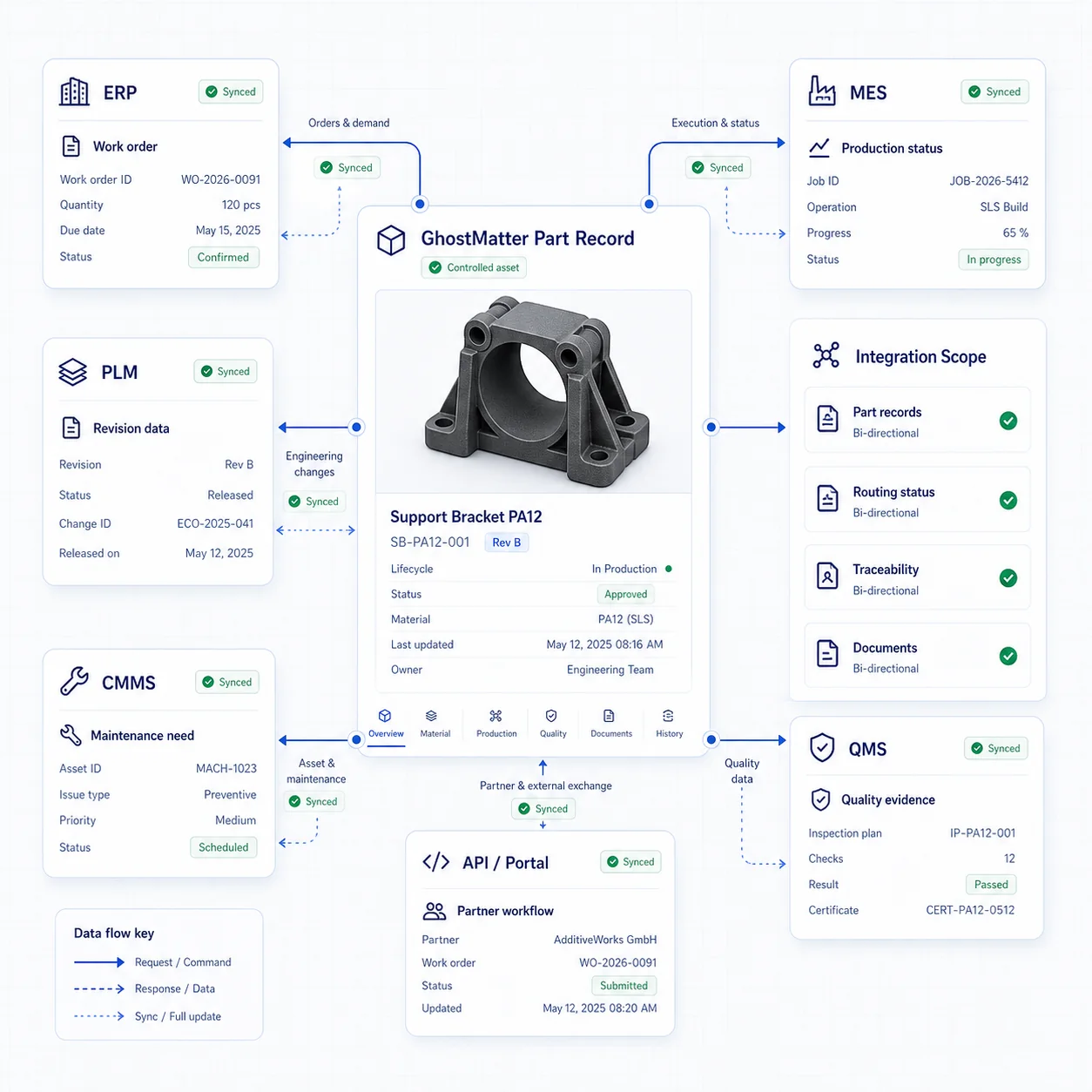
GhostMatter ERP MES integration interface connecting digital inventory with PLM, CMMS, QMS, APIs, and production workflows.

ERP, MES, PLM, CMMS and QMS systems in the digital inventory workflow

Integration planning is clearer when every team uses the same vocabulary across engineering, operations, maintenance, quality, and IT.

ERP

Enterprise Resource Planning: the core business system for orders, inventory, purchasing, finance, and planning.

MES

Manufacturing Execution System: the system used to manage and monitor production execution.

PLM

Product Lifecycle Management: the system used to manage engineering and product data.

CMMS / GMAO

Computerized Maintenance Management System: the system used to manage maintenance demand and work orders.

QMS

Quality Management System: the system used to manage quality processes, evidence, non-conformities, and approvals.

API

Application Programming Interface: a structured way for software systems to exchange data.

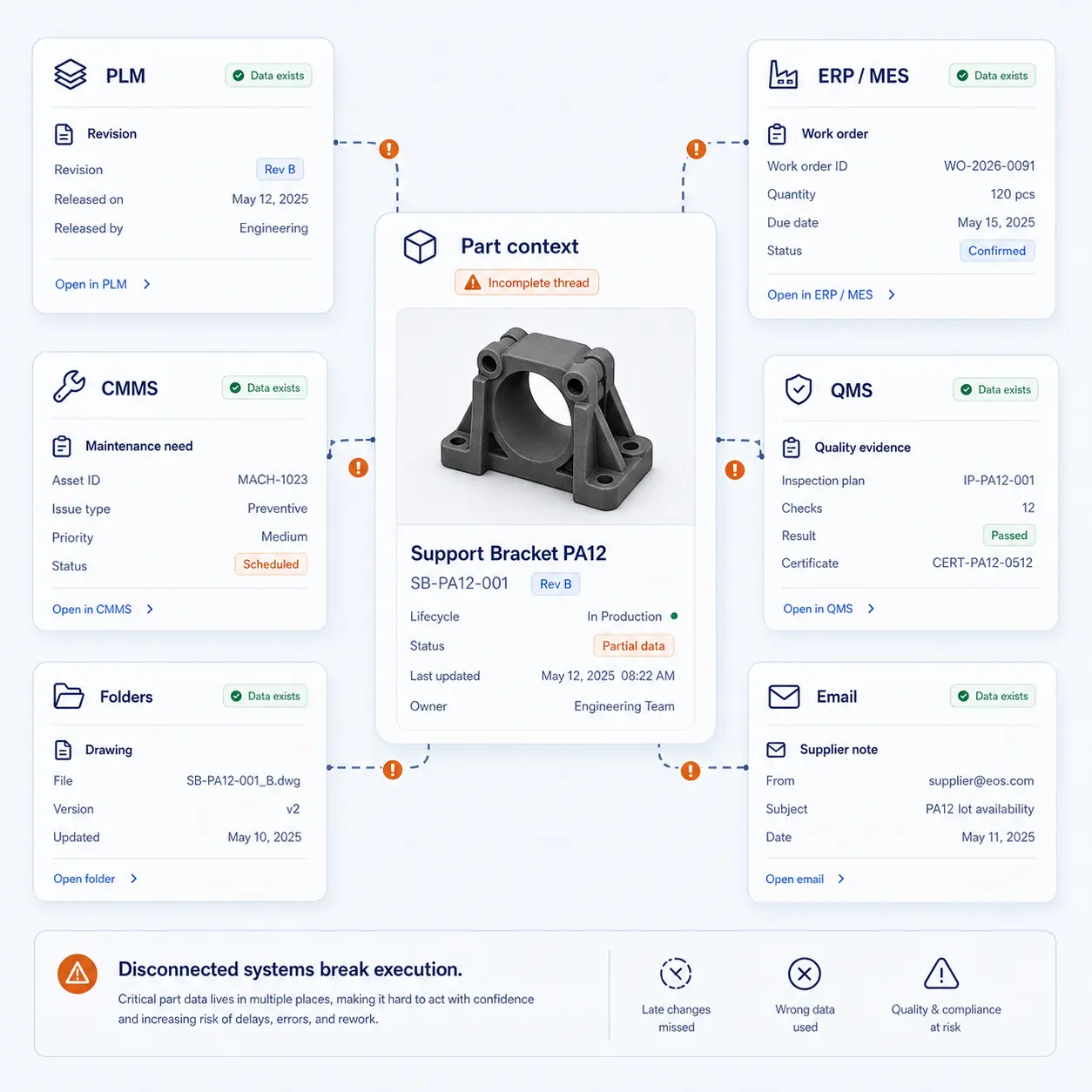
Disconnected systems create production ambiguity

When part data sits across disconnected tools, teams lose confidence in which file, route, or decision is valid.

GhostMatter helps create a controlled part record that can act as the reference point across systems.
Design changes do not reach production workflowsWrong version risk.
Spare part demand is disconnected from production routesSlow response and manual coordination.
Quality evidence is stored separatelyAudit and investigation friction.
Supplier or partner data is not structuredWeak repeatability.
Production status is not visiblePoor planning and follow-up.
Manual exports and spreadsheets multiplyError risk and slow execution.
GhostMatter interface showing disconnected PLM, ERP, MES, CMMS, QMS, folders, and email data around an incomplete part thread.

Connect the systems that already run industrial operations

GhostMatter does not need to replace every system. It creates a governed operating layer for part data that can connect with existing tools.
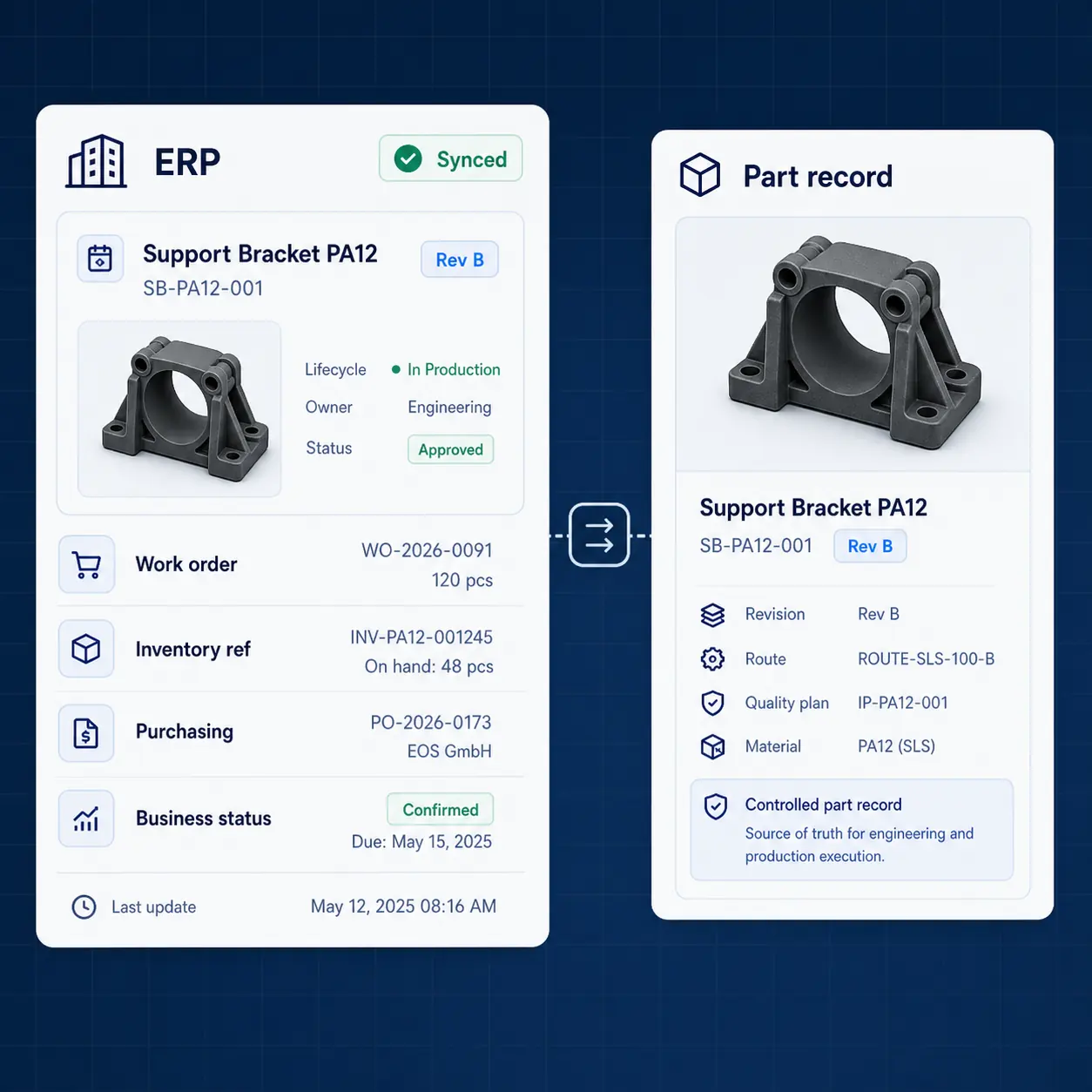
GhostMatter interface connecting ERP work order, inventory reference, purchasing, and business status data to a controlled part record.

ERP

Orders, purchasing, inventory references, pricing data, work orders, and business status.
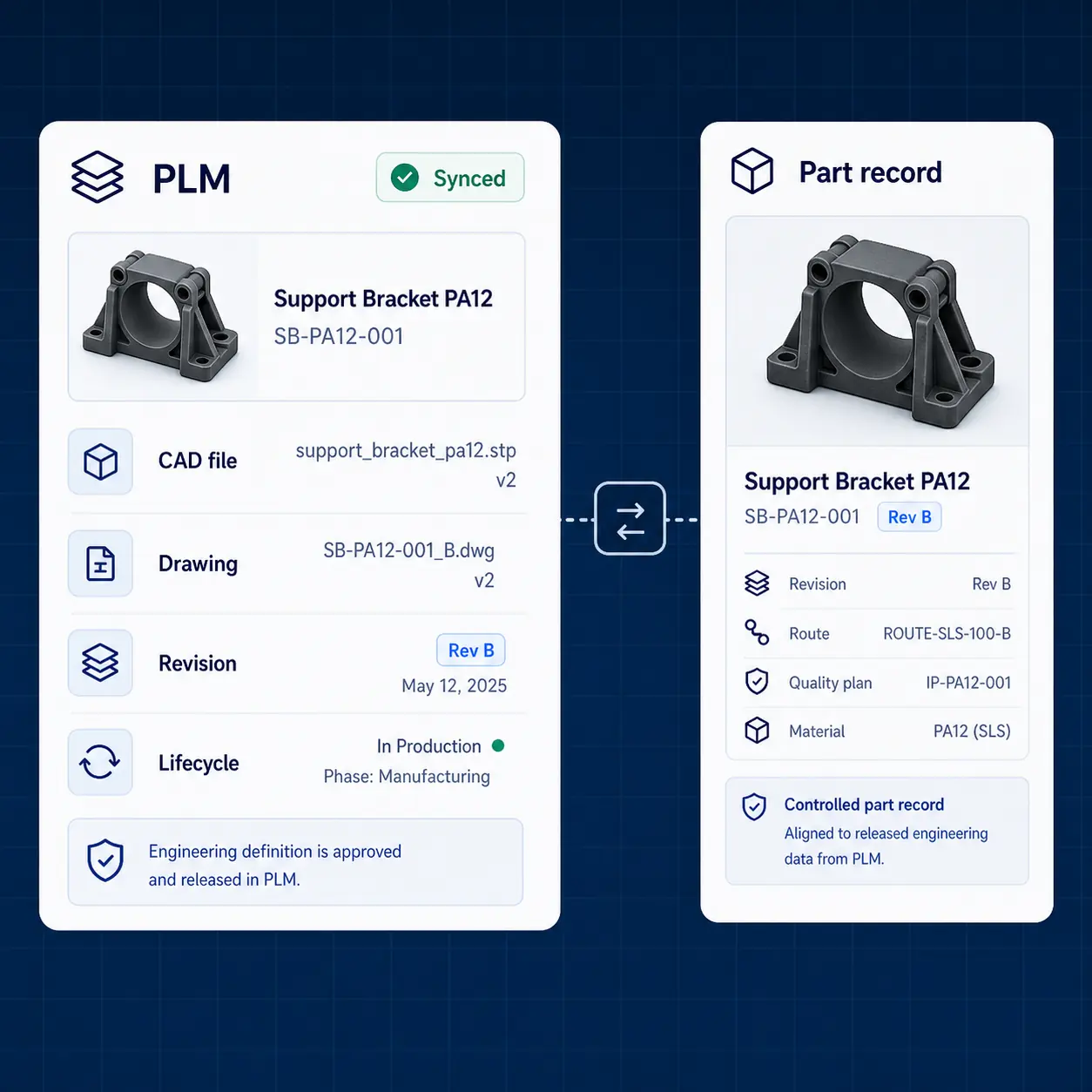
GhostMatter interface connecting PLM CAD files, drawings, revisions, and lifecycle data to a controlled part record.

PLM

Engineering data, part references, CAD files, drawings, revisions, and product lifecycle information.
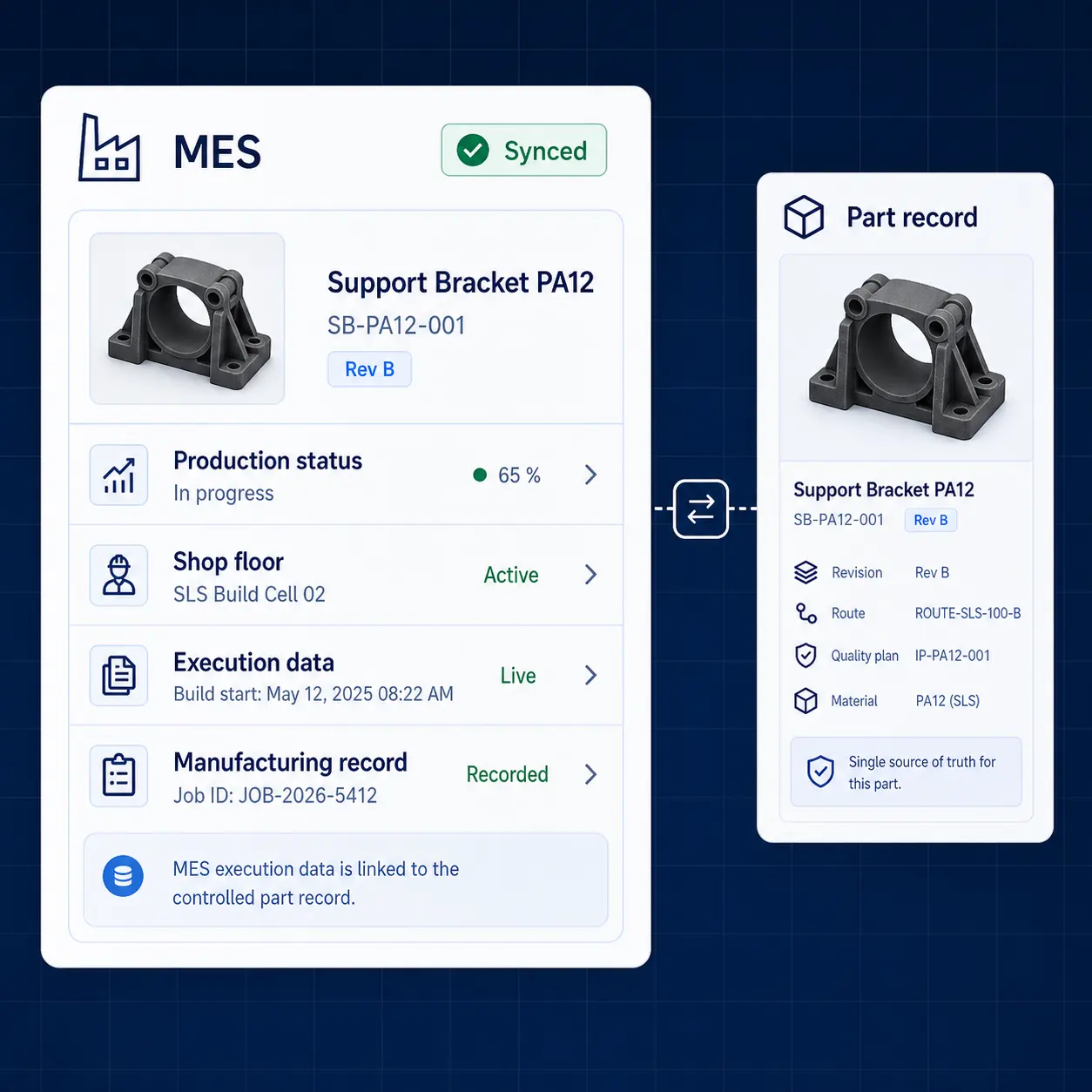
GhostMatter interface connecting MES production status, shop floor workflows, execution data, and manufacturing records to a controlled part record.

MES

Production status, execution data, shop floor workflows, and manufacturing records.
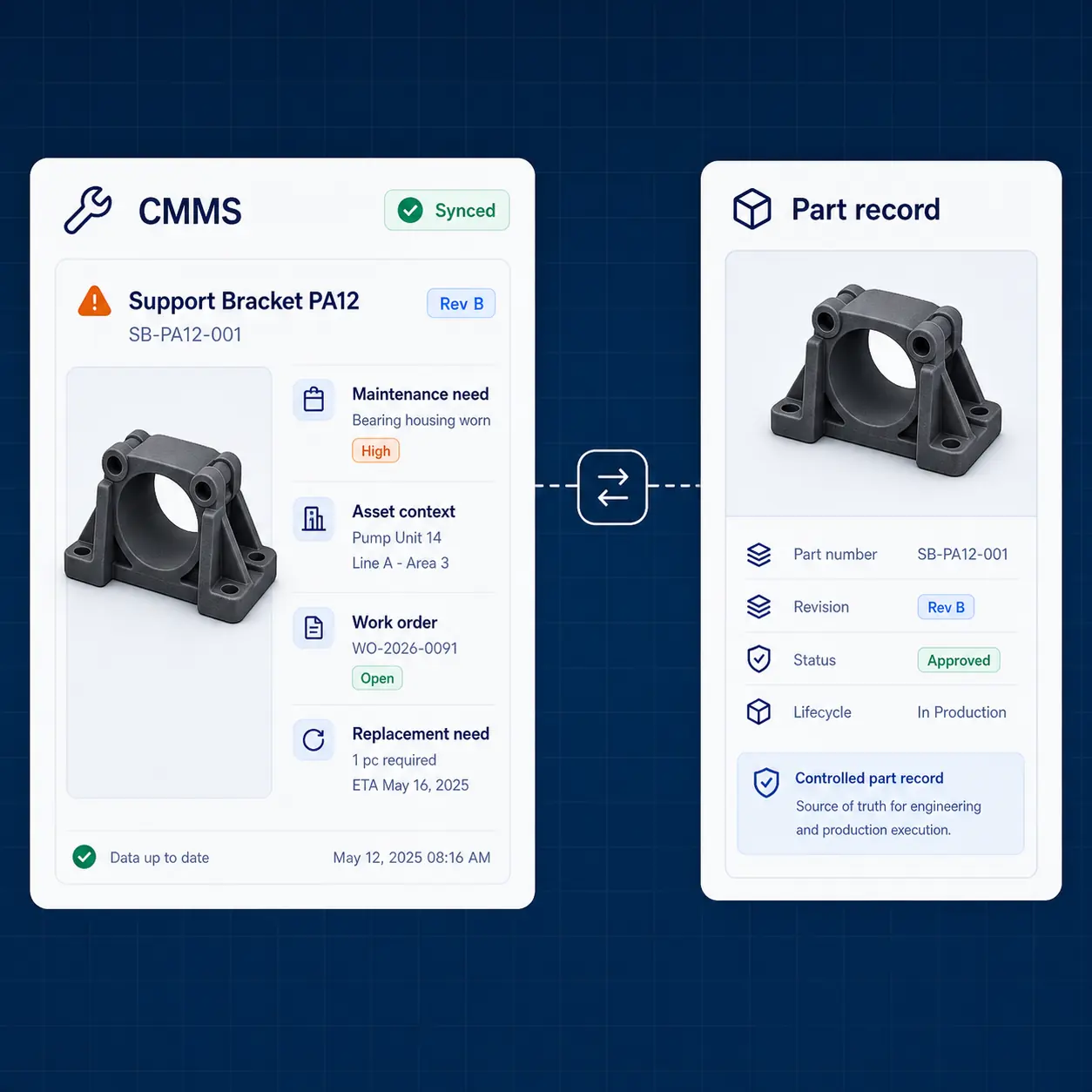
GhostMatter interface connecting CMMS maintenance needs, asset context, work orders, and replacement needs to a controlled part record.

CMMS / GMAO

Maintenance demand, critical parts, asset context, work orders, and replacement needs.
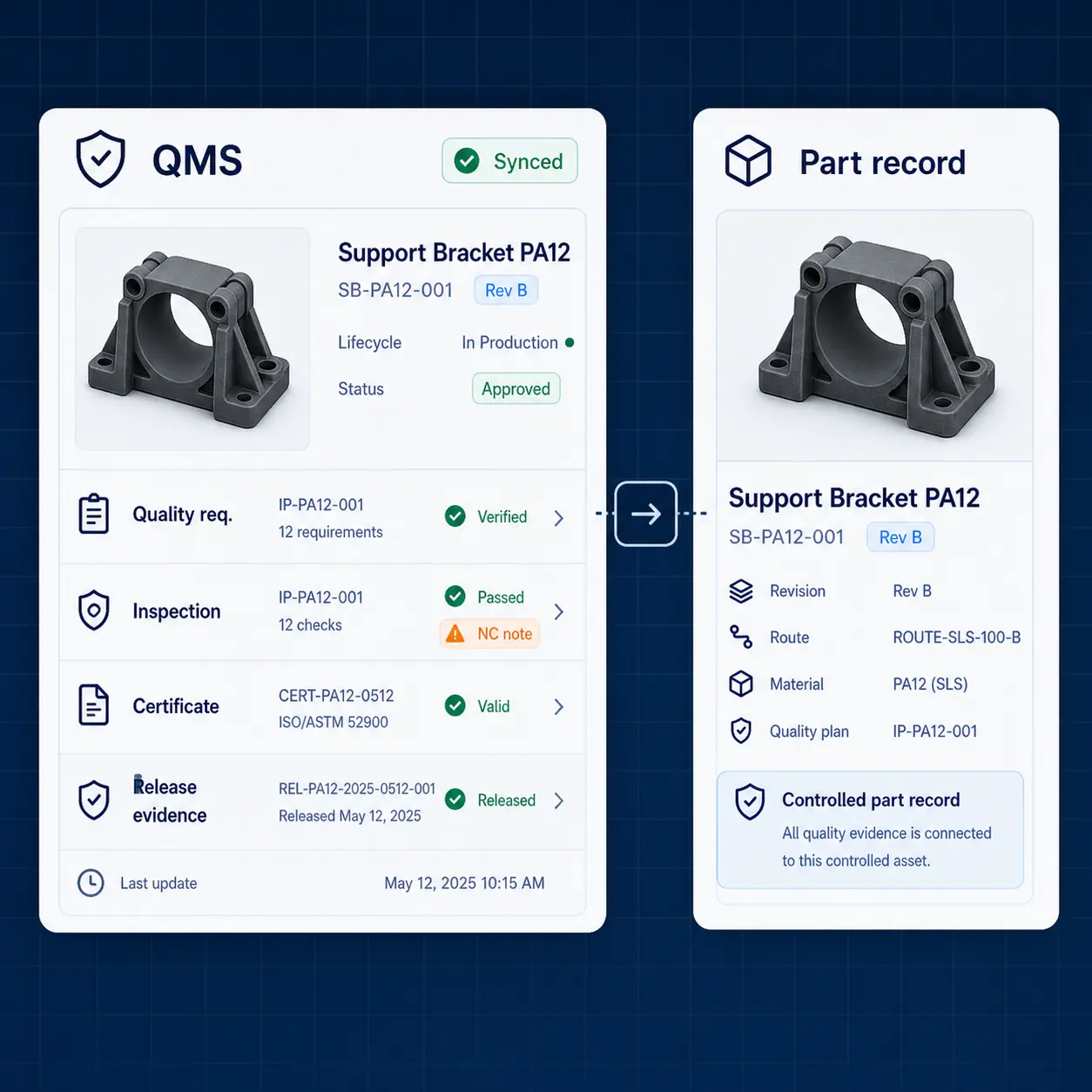
GhostMatter interface connecting QMS quality requirements, inspection results, certificates, non-conformities, and release evidence to a controlled part record.

QMS

Quality requirements, inspection results, certificates, non-conformities, and release evidence.
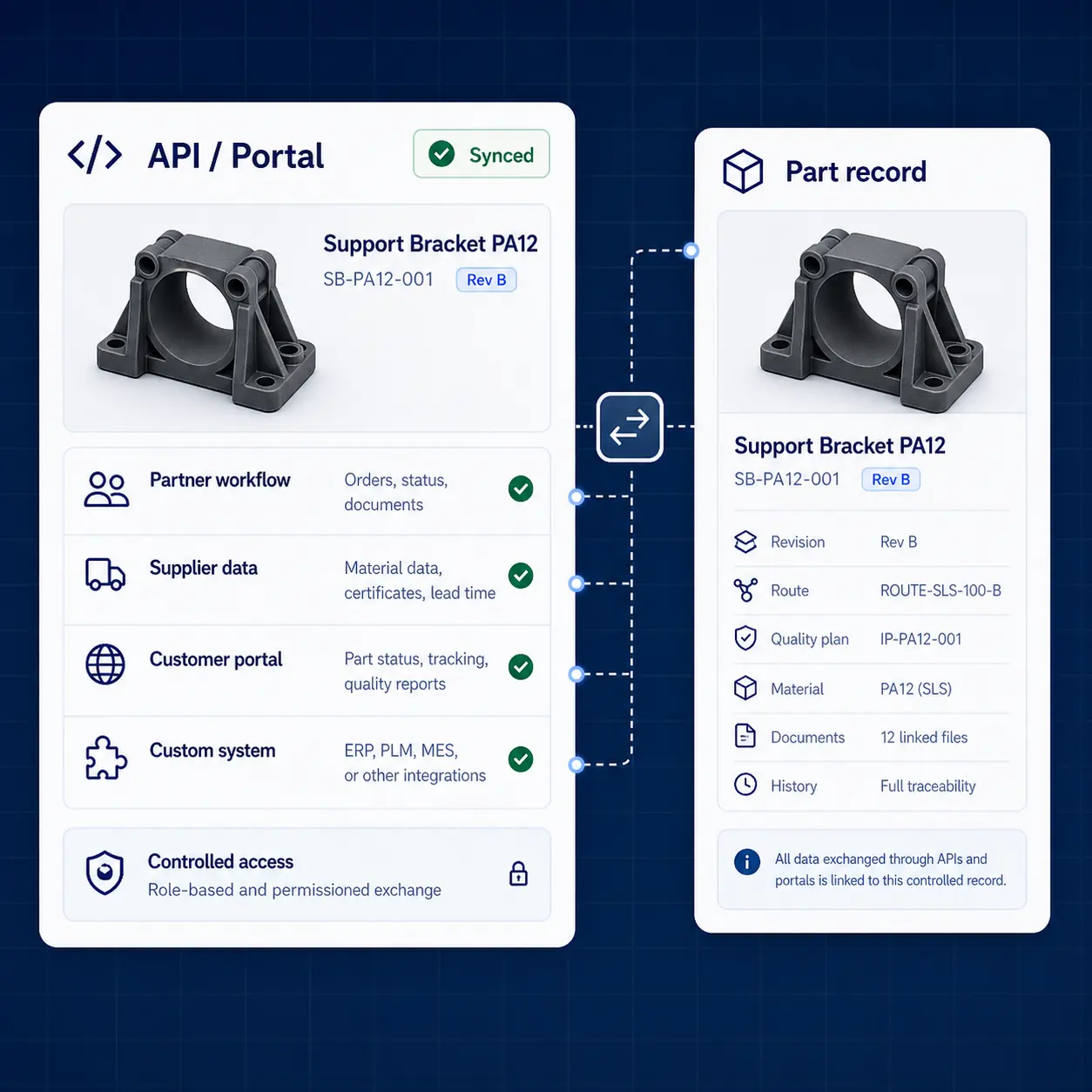
GhostMatter interface connecting API and portal partner workflows, supplier data, customer portals, and custom systems to a controlled part record.

APIs and portals

Partner workflows, supplier data, customer portals, and custom enterprise systems.

Make production data useful across the workflow

Integrations are more reliable when part identity, file status, readiness, route logic, and traceability remain structured.
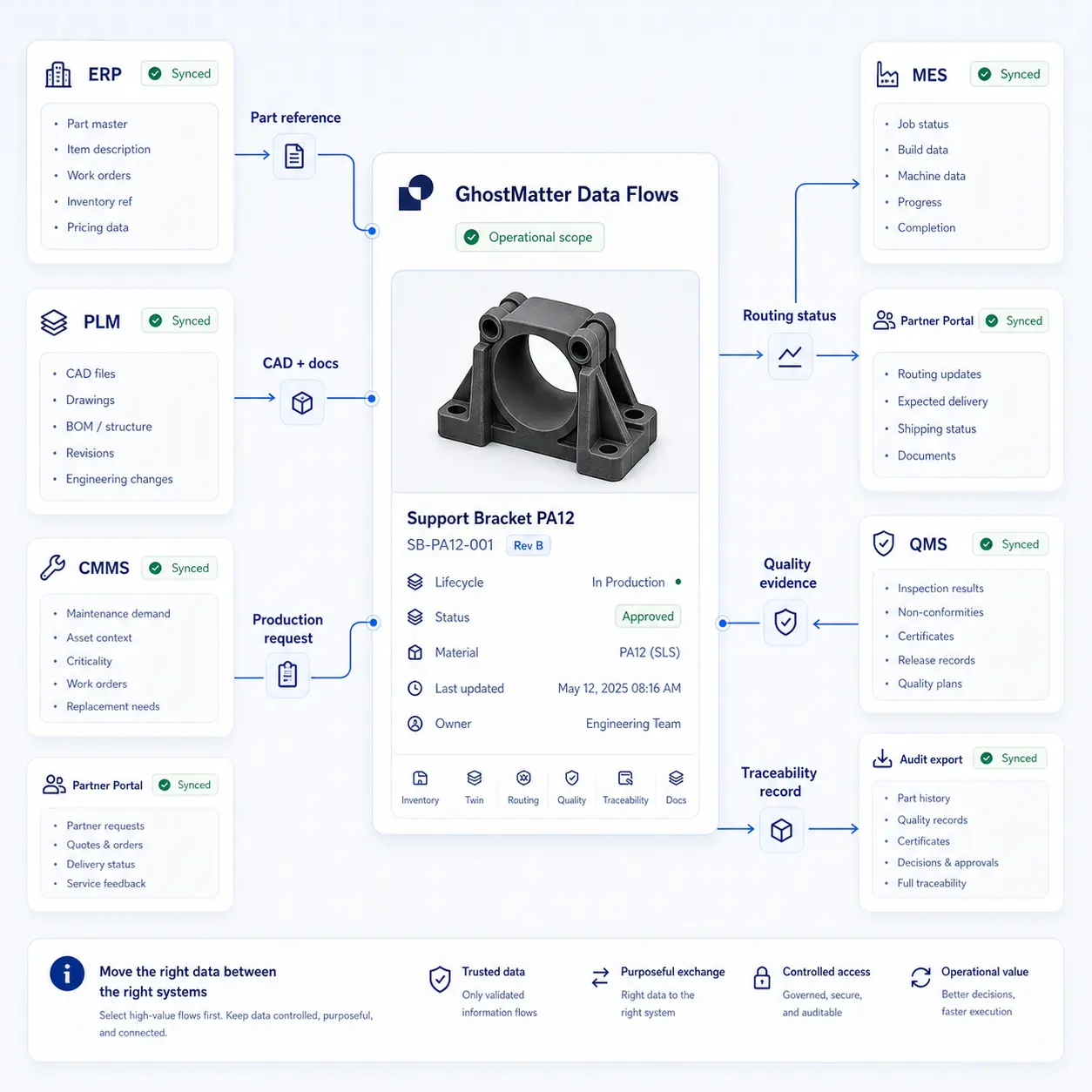
Part referenceERP, PLM, or CMMS source. GhostMatter creates or updates the digital inventory record for use across GhostMatter, ERP, and PLM.
CAD and documentationPLM or engineering folders source. GhostMatter attaches documents to the digital twin.
Production requestERP, CMMS, or portal source. GhostMatter routes demand toward qualified capacity, MES, partner portals, or internal workflows.
BOM or related dataERP or PLM source. GhostMatter links context to part records and business systems.
Routing statusGhostMatter, MES, or partner source. Status becomes visible to ERP, portals, and dashboards.
Quality evidenceQMS, MES, or partner source. GhostMatter attaches evidence to part history and QMS workflows.
Traceability recordGhostMatter or MES source. History supports traceability, audit exports, and analytics.
Sustainability indicatorsLogistics or production source. GhostMatter can support impact tracking when a validated methodology exists.
GhostMatter interface showing selected manufacturing data flows for part references, CAD documents, production requests, routing status, quality evidence, traceability, and audit export.

Integration scope depends on operational maturity

Some teams start with exports and controlled imports. Others connect APIs, workflows, and production systems more deeply over time.
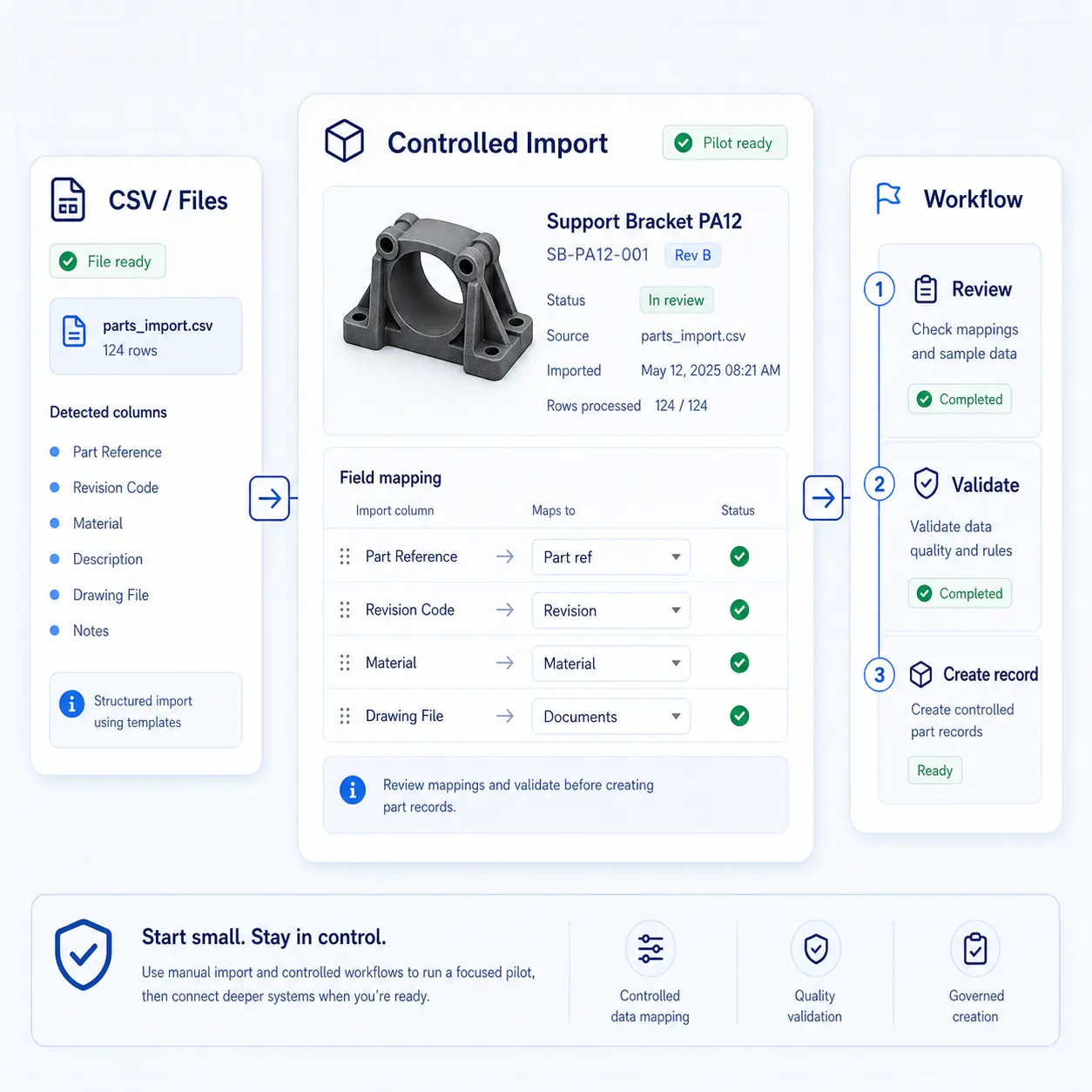
GhostMatter interface showing a controlled import pilot with CSV files, mapped part reference, revision, material, documents, review, validation, and record creation.

Manual import and controlled workflows

Good for a first pilot when the priority is to structure part data and validate the operating model.
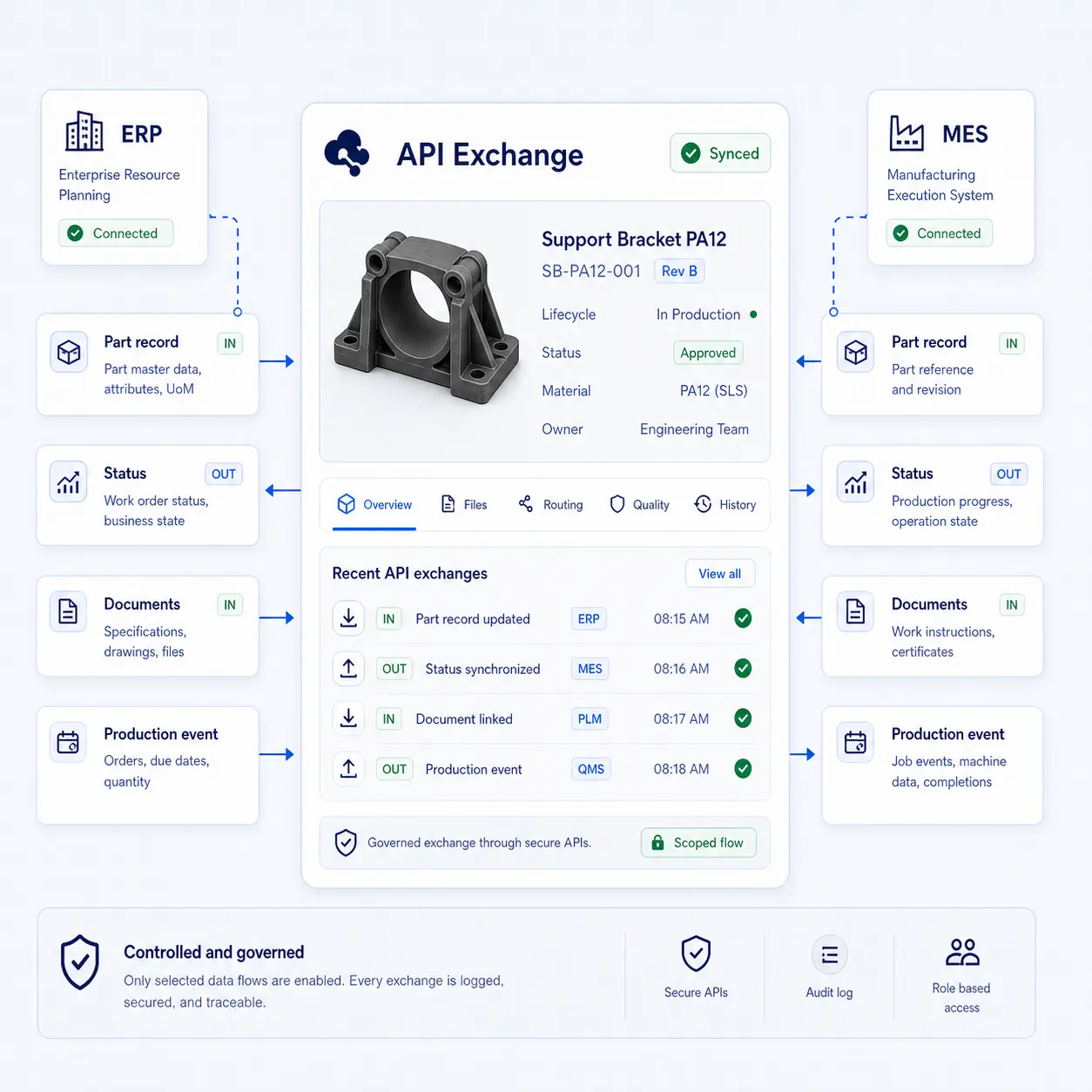
GhostMatter interface showing governed API exchange for part records, status, documents, and production events between ERP, MES, and a controlled part record.

API-based data exchange

Good when selected systems need to exchange part records, statuses, documents, or production events.
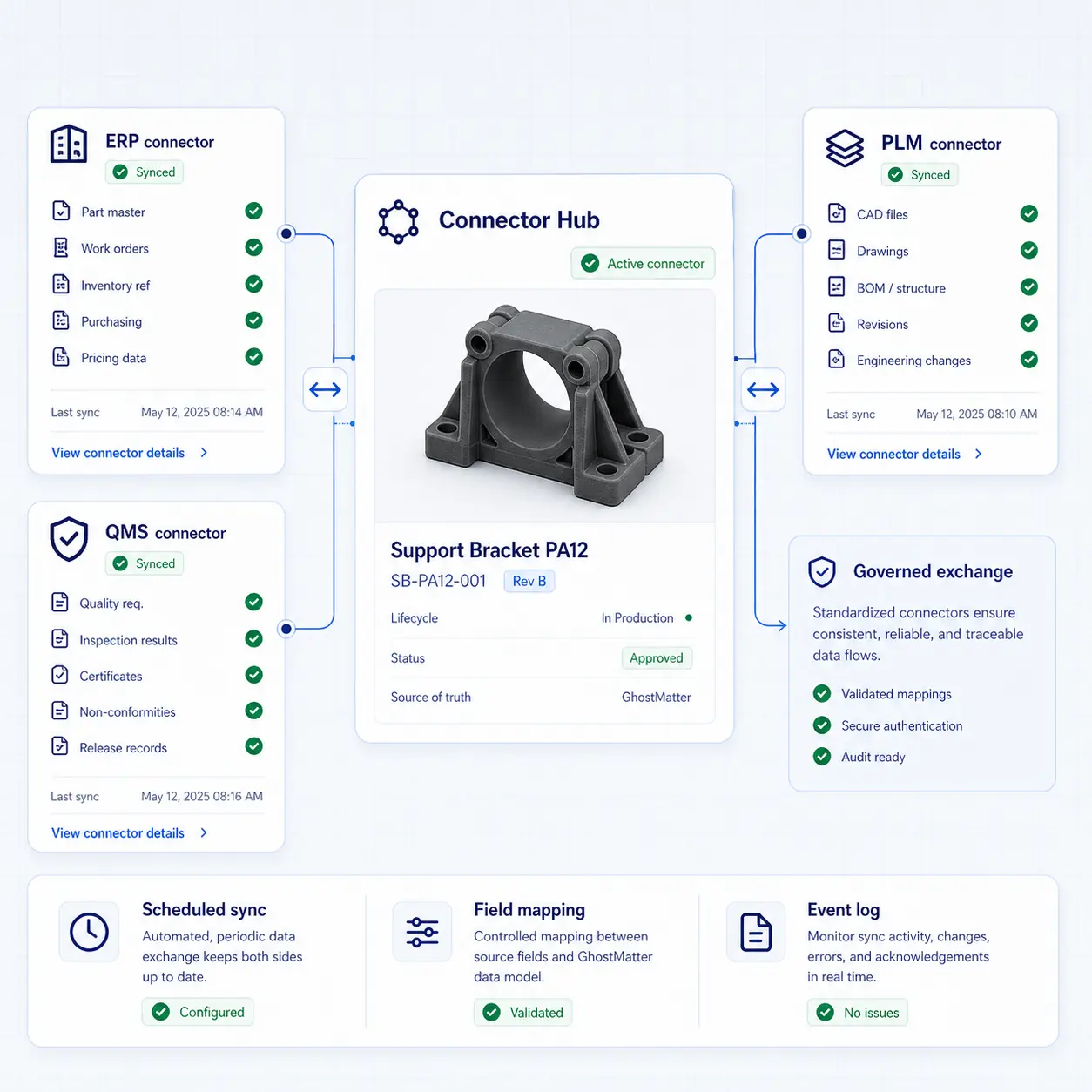
GhostMatter interface showing connector-based integration with ERP, PLM, QMS, scheduled sync, field mapping, and event logs.

Connector-based integration

Good when repeatable flows are needed between GhostMatter and existing enterprise platforms.
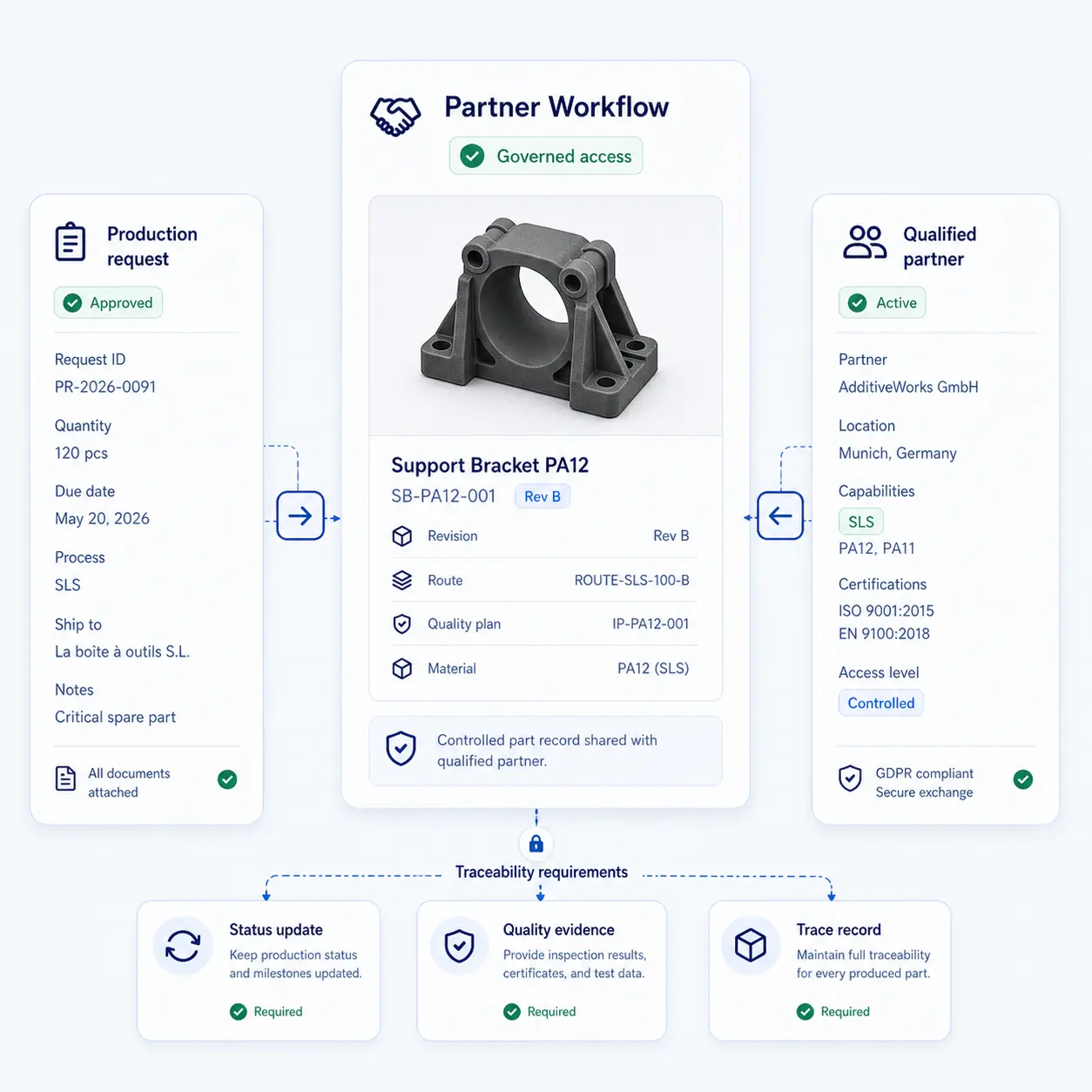
GhostMatter interface showing governed partner workflow access for production requests, qualified partners, status updates, quality evidence, and trace records.

Partner and supplier workflows

Good when external production capacity must interact with governed part data and traceability requirements.

Where integrations create the most value

Prioritize flows where duplicated entry, missing context, or manual handoffs slow down production readiness, routing, or traceability.

Spare parts portfolio assessmentConnect ERP and CMMS references with digital inventory candidates.
MRO replenishmentLink maintenance demand to production routing.
Engineering change continuityKeep part revisions and production-ready records aligned.
Quality evidence retrievalAttach inspection and release records to the part history.
Distributed manufacturing governanceKeep internal sites and partners aligned around approved data.
On-demand production requestSend production request, status, and evidence through controlled workflows.

Keep integration control at the part-record level

The important question is not only which systems connect, but which data becomes trusted enough to drive production decisions.
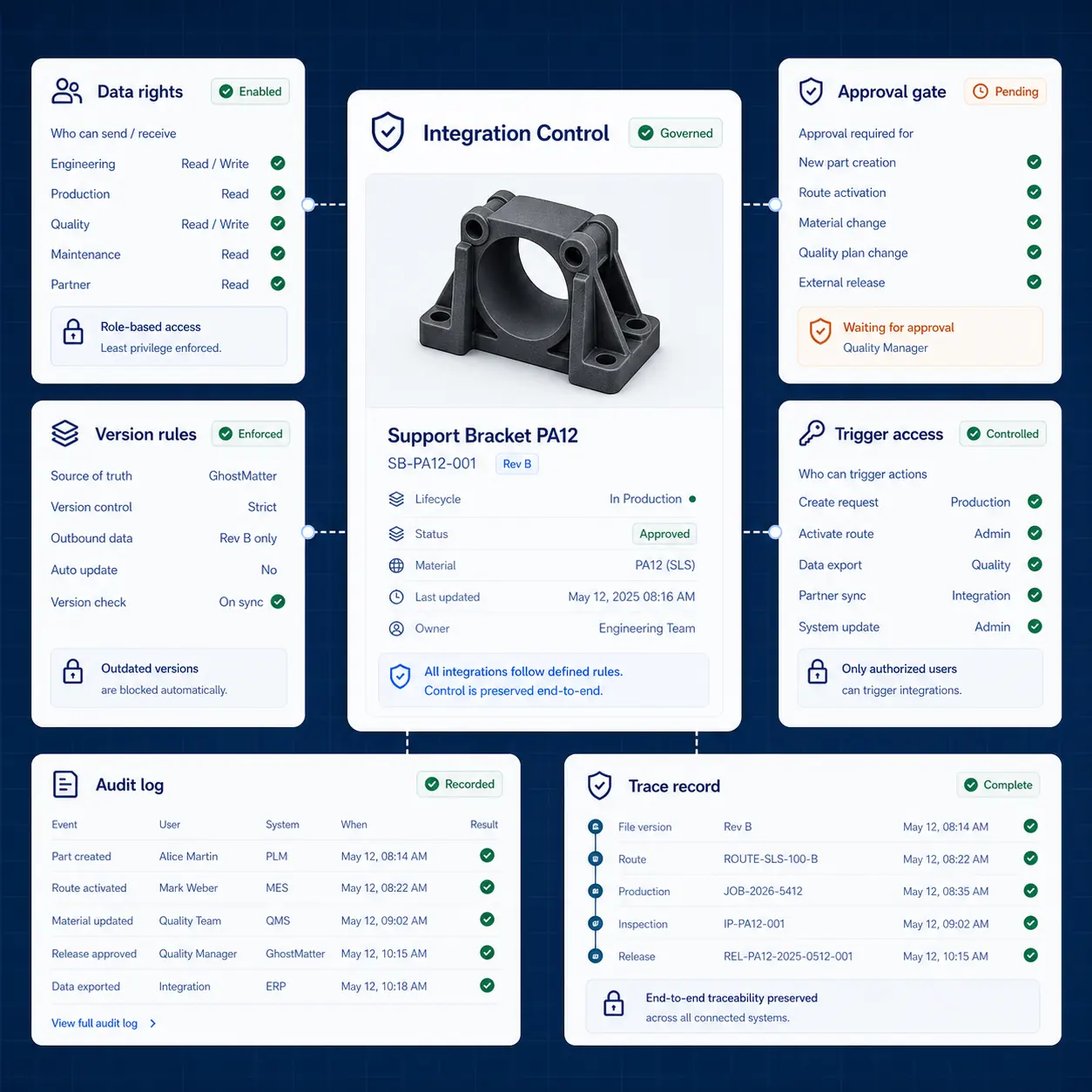
  • Role-based permissions
  • Controlled data export
  • Version and revision policies
  • Approval status
  • Production route validation
  • Audit logs
  • Traceability records
  • Security review during implementation
GhostMatter interface showing integration governance controls for data rights, version rules, approval gates, trigger access, audit logs, and trace records.

Connect industrial systems around trusted part records

Start with the systems, data flows, and part families where integration would reduce manual work or improve production control.

FAQ

Which systems can GhostMatter integrate with?

GhostMatter is designed to connect with ERP, MES, PLM, CMMS, QMS, portals, and API-based workflows. Specific integrations depend on the customer environment and implementation scope.

Do we need full integration before starting?

No. A first pilot can start with structured imports, controlled workflows, and a limited set of data flows. Deeper integrations can be added once the business case is clear.

What is the digital thread in manufacturing?

The digital thread is the continuity of product, process, production, and quality data across systems and lifecycle stages. GhostMatter helps create this continuity around digital inventory and on-demand production.

Can GhostMatter connect with production partners?

Yes. GhostMatter can support workflows where qualified partners interact with governed part data, production requests, status updates, and traceability requirements.

What data should be integrated first?

Start with part references, documents, production readiness status, routing status, and quality evidence. These flows usually create more value than trying to connect everything at once.